Most cyberattacks do not start with some dramatic Hollywood-style hack.

They start with a normal workday.

An employee gets an email that looks legitimate. Maybe it appears to come from Microsoft 365, a shipping company, a vendor, or even a coworker. They are busy, distracted, and trying to move quickly. They click the link.

That single moment can set a lot into motion very quickly.

Here is what often happens in the first 10 minutes after someone clicks a phishing link and why speed matters so much in cybersecurity.

Minute 1: The Fake Login Page Appears

The employee clicks the link and lands on what looks like a familiar login page.

It may mimic:

  • Microsoft 365
  • Google Workspace
  • Dropbox
  • Adobe
  • DocuSign
  • A payroll provider
  • A banking portal

The branding looks real. The URL may even look close enough at a quick glance.

The employee enters their username and password.

At that moment, the attacker may now have valid business credentials.

Minute 2: The Credentials Are Tested

Attackers often use automated tools to test stolen usernames and passwords immediately.

If the company does not have multi-factor authentication enabled, attackers may gain instant access to:

  • Email accounts
  • Cloud storage
  • Teams or Slack conversations
  • Shared files
  • Internal systems
  • CRM platforms

Even with MFA enabled, attackers may attempt:

  • MFA fatigue attacks
  • Session cookie theft
  • Additional phishing prompts
  • Password reset attempts

This is why identity security has become one of the biggest cybersecurity priorities for businesses today.

Minute 3: The Inbox Gets Searched

Once inside an email account, attackers often search for:

  • Financial conversations
  • Vendor invoices
  • Payroll information
  • Password reset emails
  • Wire transfer discussions
  • Tax documents
  • Customer information

They may also create hidden inbox rules that automatically forward emails externally or hide security alerts from the user.

Many businesses do not realize these rules were created until much later.

Minute 5: Internal Impersonation Begins

One of the biggest dangers of compromised email accounts is trust.

If attackers gain access to a legitimate employee account, they can now send phishing emails internally that appear authentic.

Coworkers are far more likely to trust:

  • A real internal email address
  • Existing email threads
  • Familiar signatures
  • Normal communication patterns

This is how phishing attacks often spread deeper into organizations.

Minute 7: Malware or Ransomware May Be Delivered

Not every phishing attack stops at credential theft.

Some phishing links may trigger:

  • Malware downloads
  • Remote access tools
  • Ransomware payloads
  • Browser session hijacking

This can happen silently in the background while the employee continues working normally.

In many cases, businesses do not notice suspicious activity until systems slow down, accounts lock out, or files become inaccessible.

Minute 10: The Attacker Starts Expanding Access

At this point, attackers are often looking for ways to move further into the environment.

They may attempt to:

  • Access shared drives
  • Target additional employees
  • Escalate permissions
  • Find sensitive data
  • Disable security protections
  • Maintain persistent access

This is why early detection matters so much.

The faster suspicious activity is identified, the better the chances of limiting damage.

Why Phishing Still Works So Well

Many people assume phishing only works because employees are careless.

That is usually not true.

Phishing works because modern attacks are:

  • Fast
  • Convincing
  • Well-designed
  • Timed strategically
  • Emotionally manipulative

Attackers rely on urgency, distraction, curiosity, and routine behavior.

And increasingly, AI is helping cybercriminals create more realistic phishing emails with fewer spelling mistakes, better formatting, and more believable language.
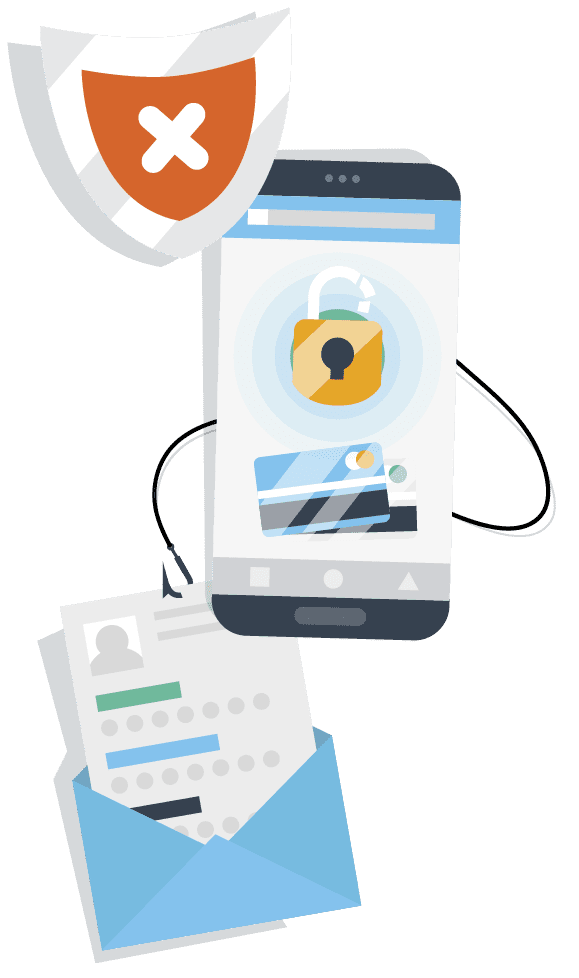
Phishing Link illustration. hooks grabbing onto pasword, credit card and login window.

What Businesses Can Do to Reduce Risk

No organization can eliminate phishing risk entirely, but businesses can dramatically reduce exposure with the right protections in place.

Some of the most important steps include:

  • Multi-factor authentication
  • Security awareness training
  • Advanced email filtering
  • Endpoint protection
  • Conditional access policies
  • Regular monitoring
  • Fast incident response processes
  • Password managers
  • Limiting administrative access

Most importantly, businesses should create a culture where employees feel comfortable reporting suspicious emails quickly without fear of blame.

Fast reporting often makes the difference between a minor incident and a major breach.

Concerned About Phishing Risks in Your Organization?

At Tech River, we help businesses strengthen cybersecurity through proactive monitoring, employee security training, email protection, identity security, and incident response planning.

Whether you are looking to improve phishing defenses, evaluate your current security posture, or reduce overall business risk, our team can help.

Let’s Start the Conversation

Contact us to learn how your organization can better prepare for today’s evolving cyber threats.

More to Explore

More insights and resources worth checking out

More insights and resources worth checking out.

Ready to take the next step?

Ready to take the next step?

We’d like to learn more about your business, discuss current IT challenges, and help answer your questions.

More of What We Do

More of What We Do

Managed IT Services

A Partner looking out for you

Cybersecurity

Hackers go elsewere

Microsoft 365

A partner looking out for you

Co-Managed IT

Optimize efficiency

Infrastructure Projects

Stay on time and budget

Web Design

Enhance Your Brand